Use your Osmo Pocket over Wi-Fi on a Mac
Connect a DJI Osmo Pocket to a Mac over the camera's own Wi-Fi for a live preview, gimbal control, microSD recording and camera settings, without a cable.
By Kerim Embel, maker of Pocketframe4 min read
Quick answer
Pocketframe pairs with the Pocket over Bluetooth, then your Mac joins the camera's own Wi-Fi network for a live preview and control. Wi-Fi internet pauses while connected, so use Ethernet or iPhone tethering to stay online.
What you need
- A DJI Osmo Pocket
- A Mac with Wi-Fi and Bluetooth
- Pocketframe, with Pro for microSD recording and camera settings
Sometimes the camera needs to be somewhere a cable cannot reach: across the room, on a shelf, or pointed at a whiteboard. Over Wi-Fi Pocketframe still gives you a live preview and gimbal control, and with Pro it records to the camera's card and changes its settings.
Connect
- Step 1: Unplug the USB-C cableWithout a cable, Pocketframe uses Wi-Fi.
- Step 2: Approve the pairing oncePocketframe finds the Pocket over Bluetooth. The first time, the camera asks you to approve the Mac.
- Step 3: Join the camera's networkYour Mac joins the Pocket's own Wi-Fi network for the video. Pocketframe handles this for you.
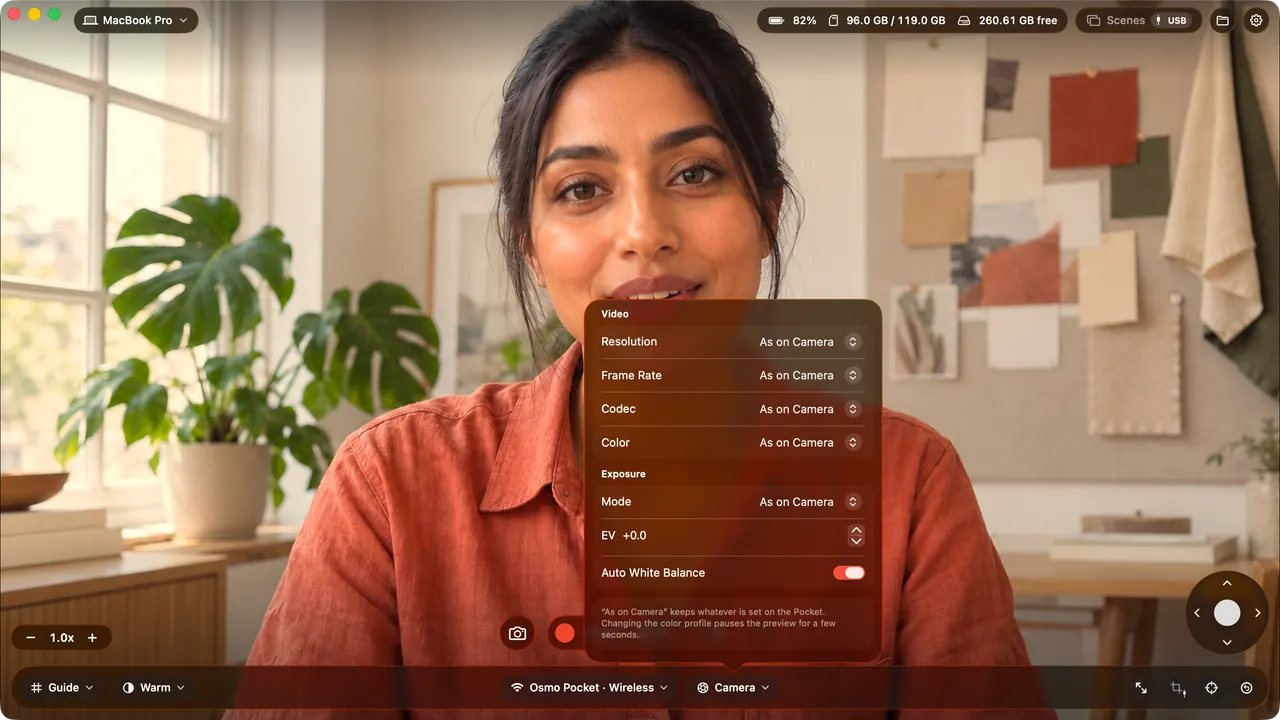
- Step 4: Preview and controlYou get a 720p live preview, gimbal control and recording from your Mac.
Stay online
Because your Mac's Wi-Fi is talking to the camera, Wi-Fi internet pauses while you use it. Plug in Ethernet or use iPhone tethering over USB to stay online, or switch back to USB-C when you need the internet.
Record to the card
With Pro, the record button starts and stops recording on the Pocket's own microSD card, at the resolution set on the camera. The camera settings panel changes resolution, frame rate, codec, color profile, exposure, ISO, EV and white balance from your Mac.
Questions
Why does my Mac lose internet in Wi-Fi mode?
The Mac joins the camera's own Wi-Fi network for the video, so its Wi-Fi cannot reach your router at the same time. Ethernet or iPhone tethering keeps you online.
Does face tracking work over Wi-Fi?
No. Face tracking, auto frame and Scenes are available over USB-C.
Can Zoom use the camera over Wi-Fi?
No. Other apps see the Pocket only over USB-C.